 +86 136 0249 1788

Stream
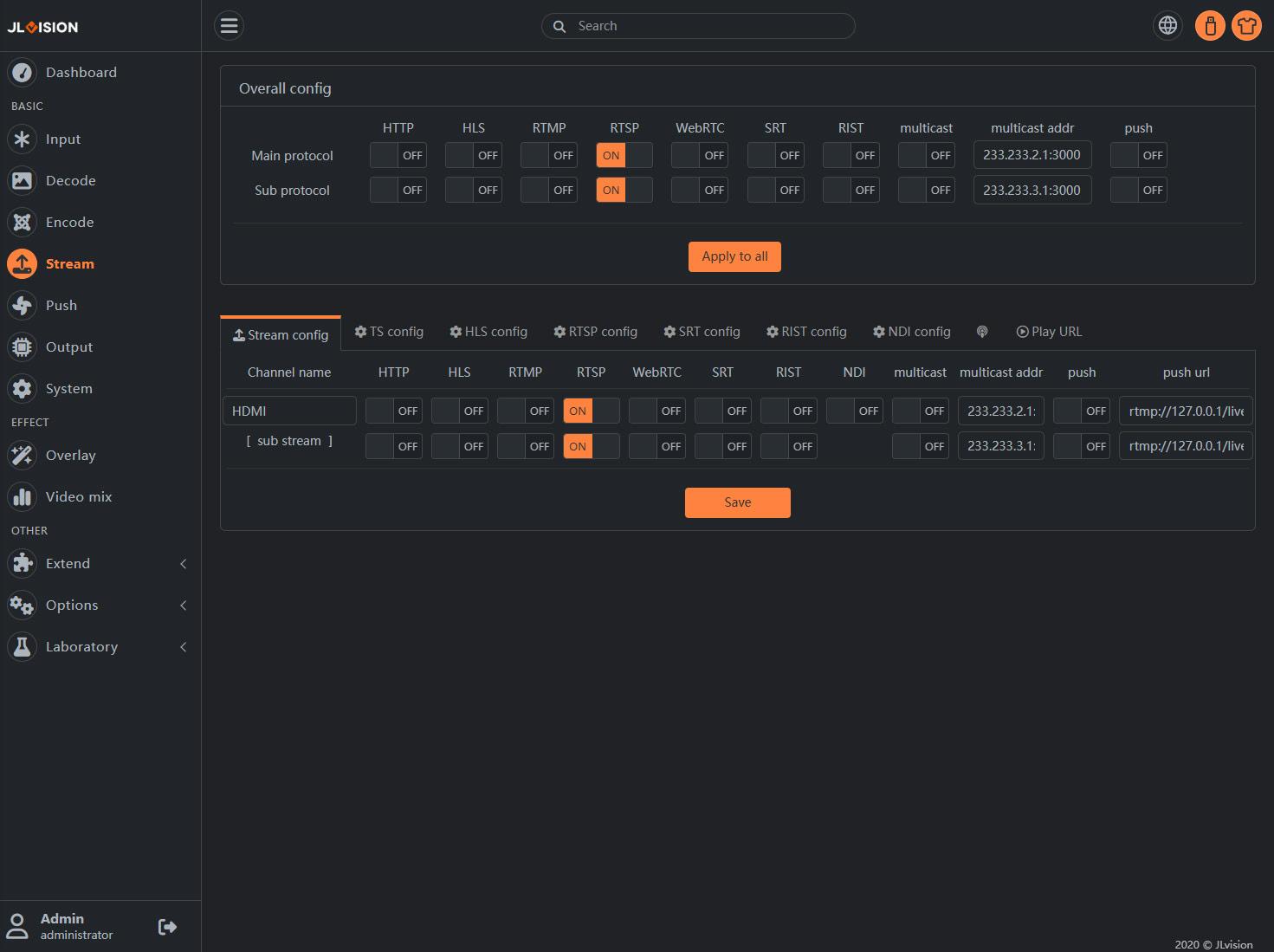
1. Page Preview
2. Function Introduction
2.1. Overall config
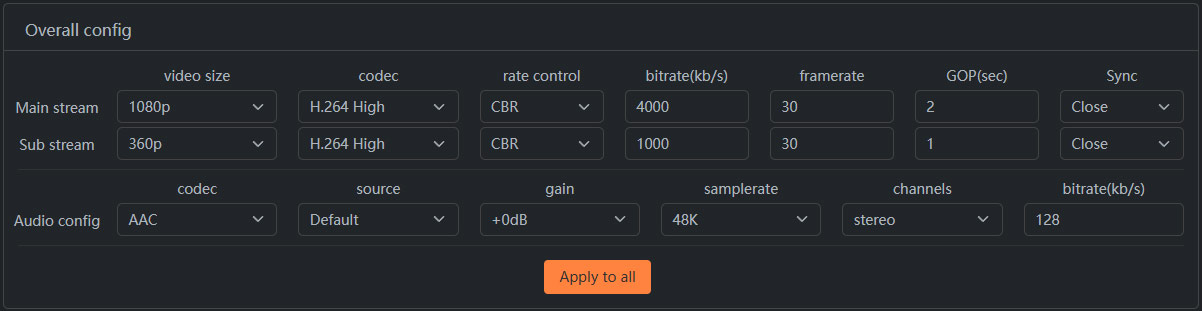
Global Configuration Here, you can uniformly set the common protocol switches for all channels, including: HTTP (TS), HLS, RTMP, RTSP, multicast (UDP multicast/singlecast), and streaming (Client/rtmp, rtsp, etc.).
Multicast Address supports automatic increment of IP or Port:
-Such as setting the “233.233.2.1:3000 +”, then the channels of multicast address in the order: “233.233.2.1:3000”, “233.233.2.1:3001”, “233.233.2.1:3002″…
-Such as setting the 233.233.2.1 + : “3000”, the passage of multicast address in the order: “233.233.2.1:3000”, “233.233.2.2:3000”, “233.233.2.3:3000″…
Note: Multicast requires the permission of the network environment and usually requires a switch with IGMP management capability and is configured correctly. To configure UDP unicast, you only need to change the multicast address to the IP address of the target device.
2.2. Stream config
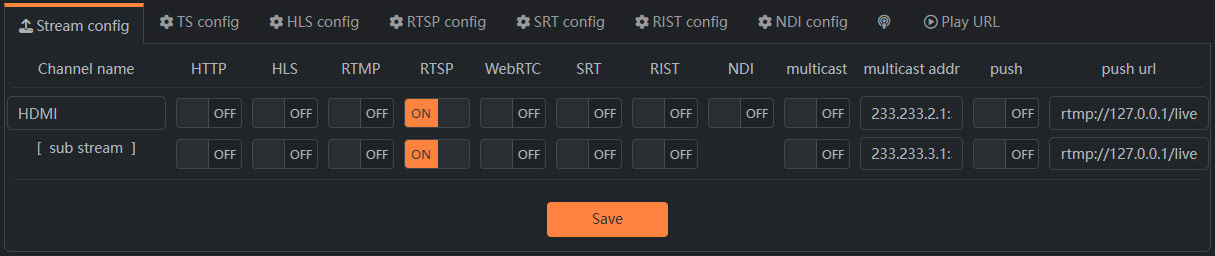
Set the output protocol switch or address of each channel. The push stream address supports RTMP, RTSP, SRT and other push stream protocols.
2.3. TS config

It is used to set the parameters for MPEGTS encapsulation in HTTP and multicast (UDP) protocols. For specific details, please refer to the MPEGTS format definition.
Flow control, Bandwidth: These two parameters are used to limit the maximum rate of UDP transmission to prevent packet loss caused by excessive transmission speed.
RTP Head: When this switch is enabled, the UDP transmission of the TS stream will additionally carry the RTP header.
2.4. HLS config

Note: To protect the lifespan of Flash, the HLS fragmented data is stored in memory. Setting an excessively large fragment length or the number of fragments in the list will result in insufficient memory.
2.5. RTSP config
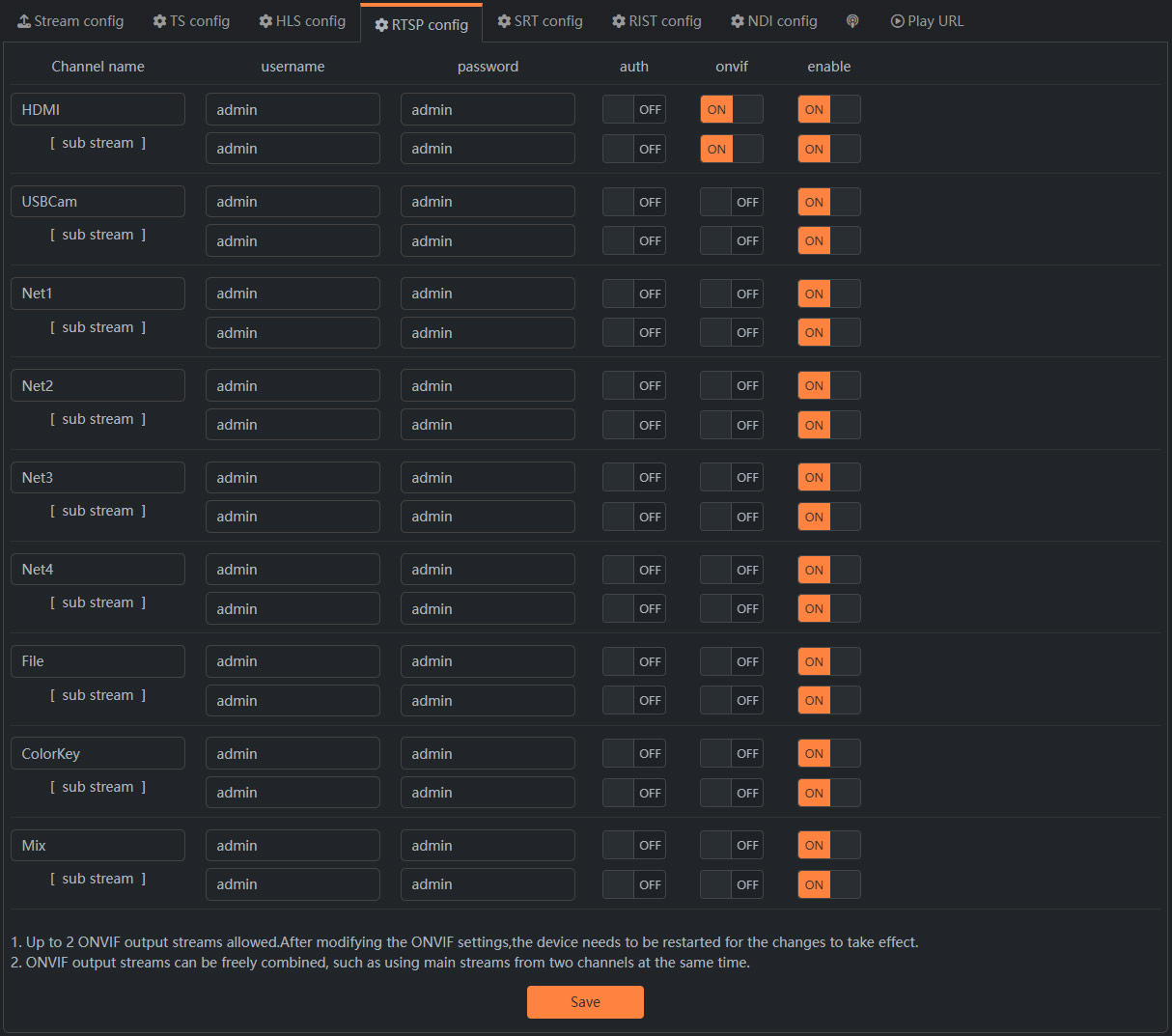
RTSP authentication. After enabling RTSP authentication, when accessing an RTSP stream, you need to set the username and password.
2.6. SRT config
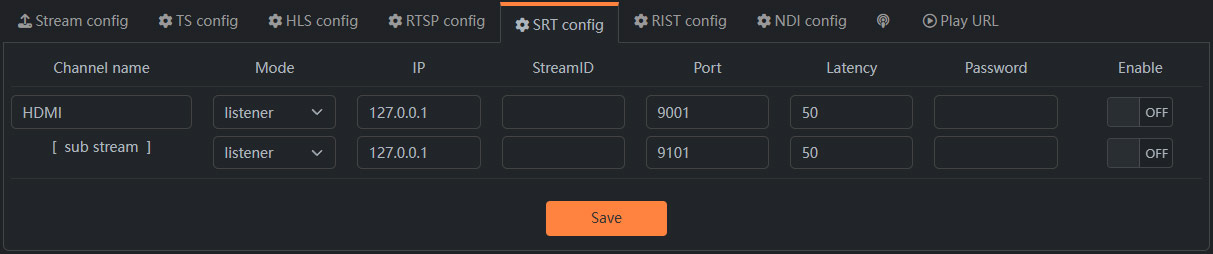
The configuration of relevant parameters for the SRT protocol can be referred to the corresponding explanations of the SRT protocol or the examples provided in the section ‘Third-party Software Access -> vMix’. You can also refer to the blog post titled ‘Introduction to the Three Modes of SRT Protocol for Encoder (Listener, Caller, Rendezvous)’: https://h265encoders.com/enc-listener-caller-rendezvous/s/1027.
Note: The modification of SRT parameters requires a restart for the changes to take effect. The password must be at least 10 characters long.
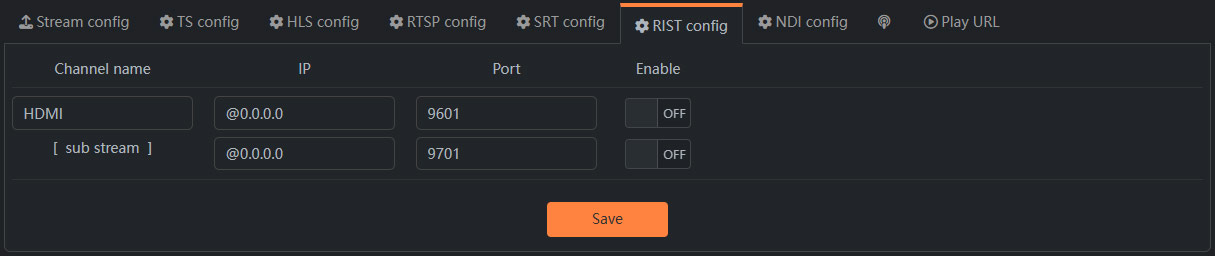
2.7. RIST config
2.8. NDI config

NDI Name: The channel name displayed during NDI automatic discovery
NDI Group: Suggested to leave blank
Enable: The NDI output switch for the channel
Note: If you purchase an encoder without NDI authorization, it can only be used for 30 minutes each time NDI is enabled.
2.9. Push stream config
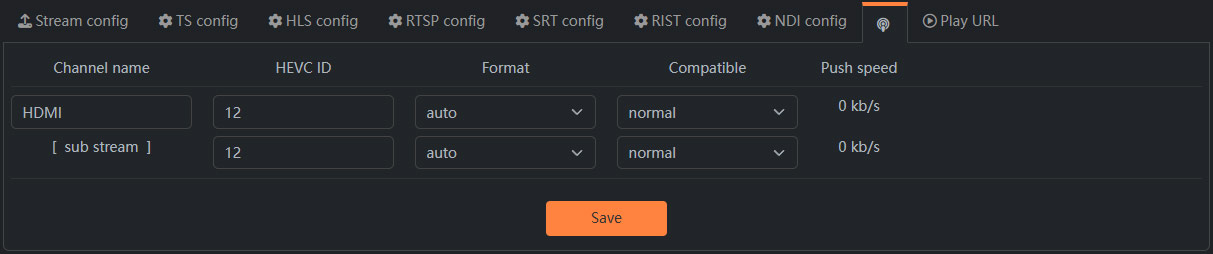
A. HEVC ID: The FLV package used by standard RTMP does not support HEVC(H.265), so you need to use a custom extension ID to extend the package. The ID commonly used by international video platforms is 12.
B. Format: Auto is recommended.
C. Compatibile: When streaming to YouTube, please select the enhanced-rtmp mode,for other scenarios, select the standard mode.
D. Push speed(Upload speed): When channel push flow is enabled, the real-time upstream push rate can be displayed here.
2.10. Play URL

As shown in the figure above, all playable protocol addresses will be organized in this interface according to the output protocol you currently enable, which can be easily copied to other playback systems for use.