 +86 136 0249 1788

Record file
1. Page Preview
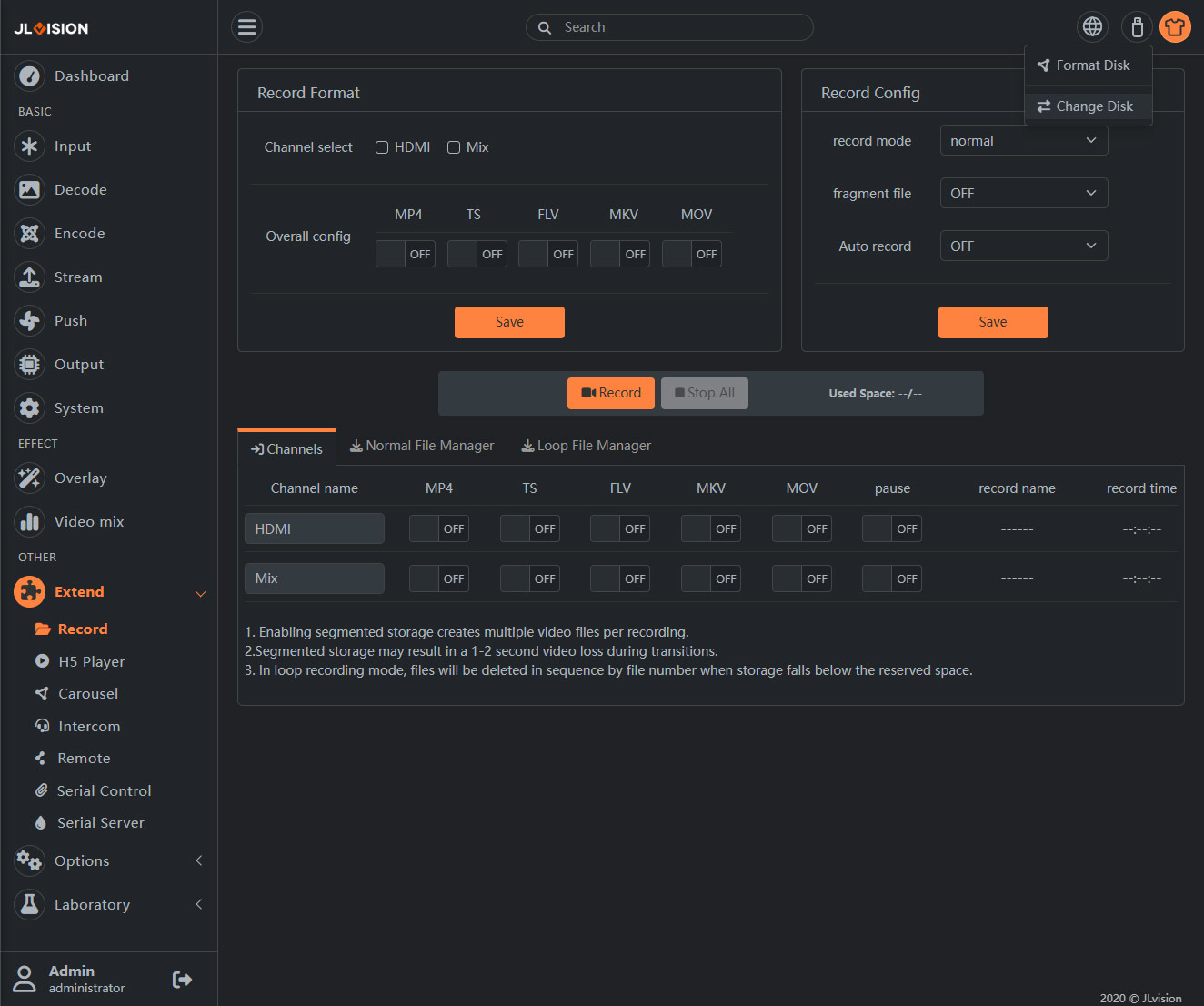
2. Function Introduction
2.1. Set the method
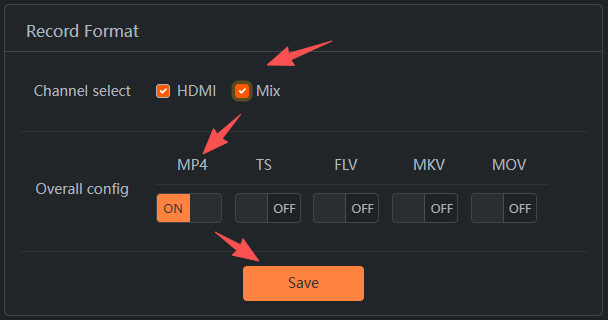
Select the video channels that need to be recorded, and choose the file format that needs to be recorded. After clicking Save Parameters, you can start recording each time according to this configuration.
2.2. Record Config
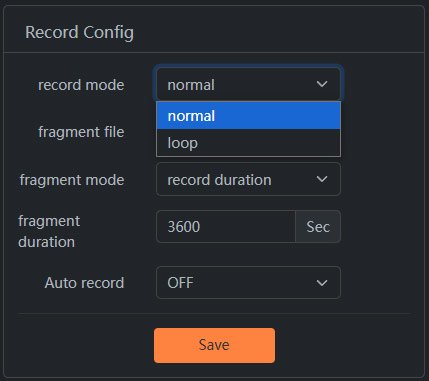
The main settings include the mode and size for saving the recorded files, whether to start the recording mechanism upon startup, and the ability to enable the segmented recording function. The default segmented size is currently set to 1G. After setting, remember to save the settings.
2.3. Recording status
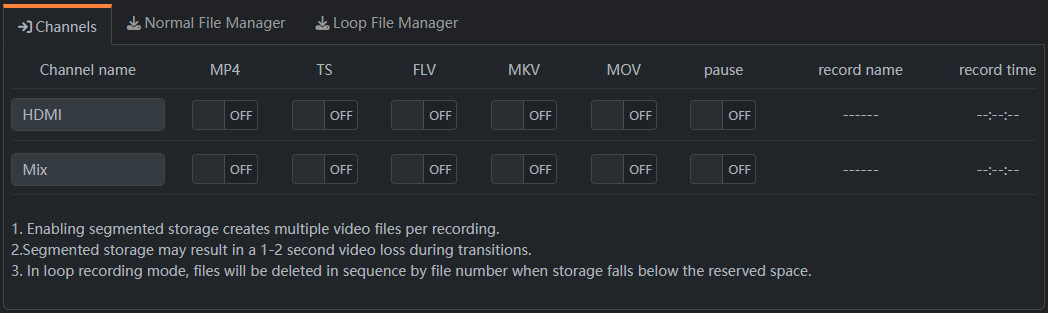
The recording status of each video channel displayed here allows for the dynamic activation/deactivation of the recording of a certain format, as well as the pause/resume of the recording.