 +86 136 0249 1788

Encode
1. Page Preview
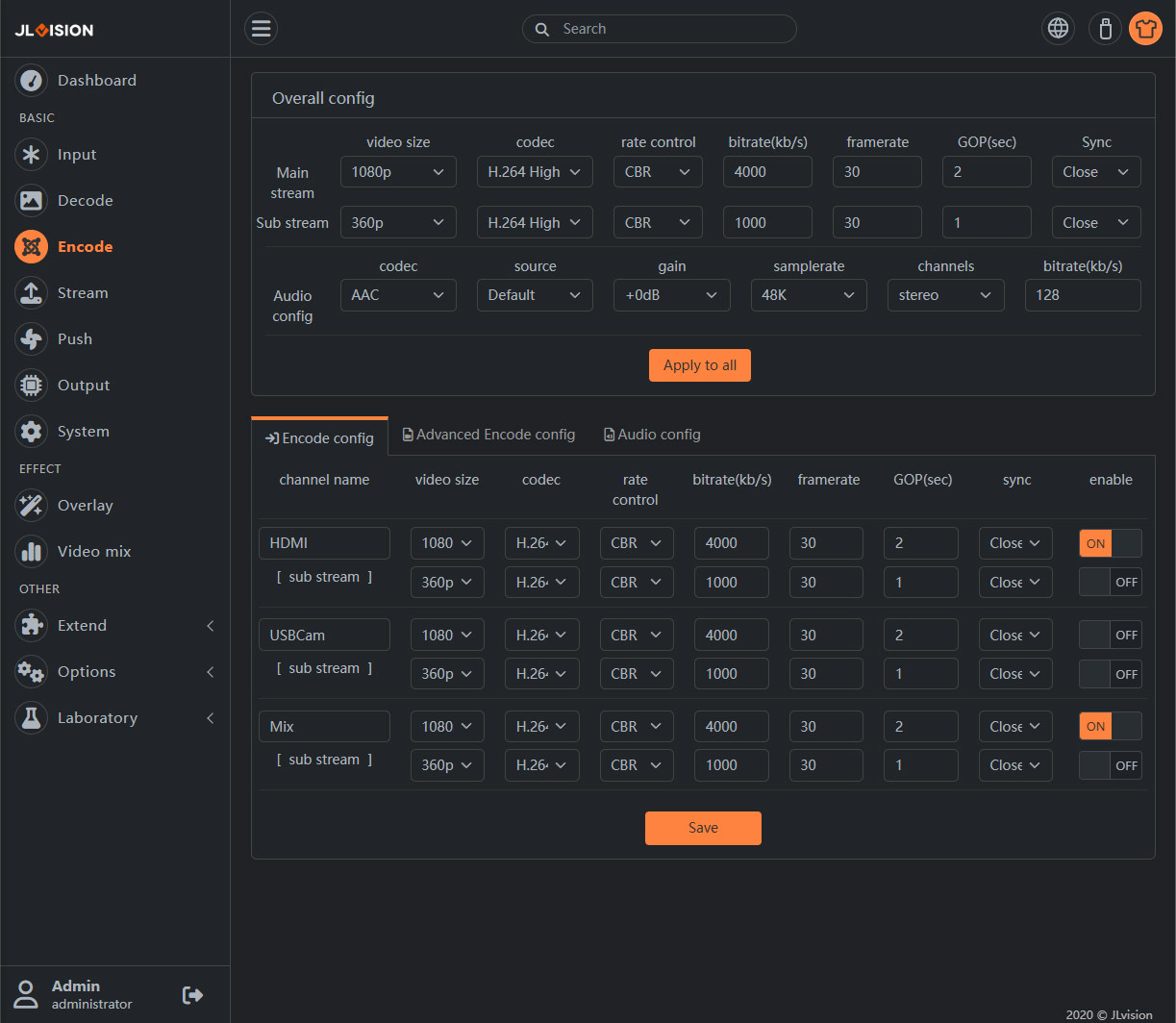
2. Function Introduction
2.1. Overall config
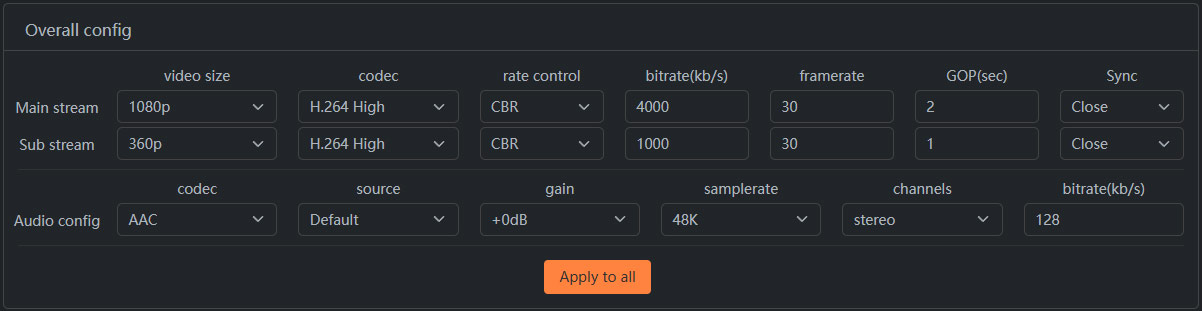
A. Basic parameters for audio and video encoding are shown here, which are used for quick modification and uniform Settings to each channel template. After configuring global parameters, click “Apply to all” button to automatically set all channel parameters as the same as global parameters,as shown below:
2.2. Encode config
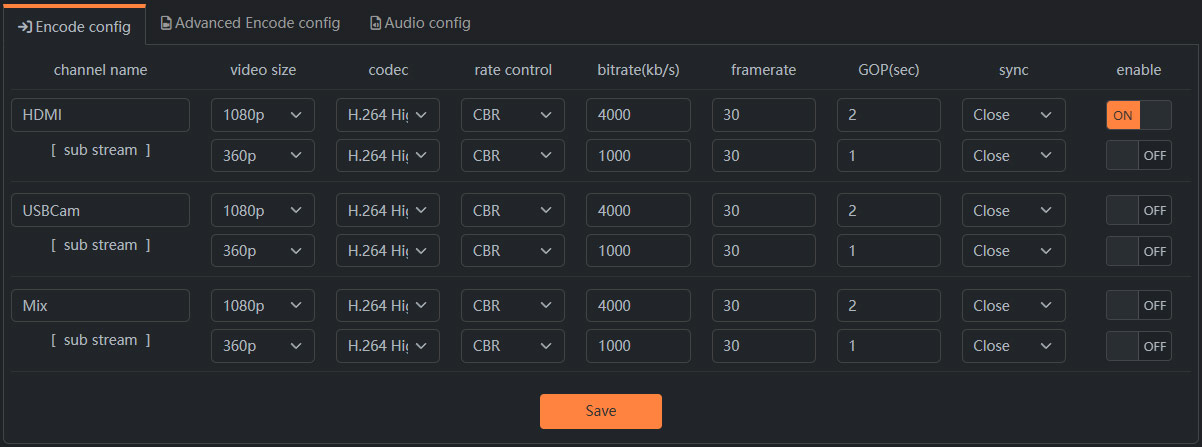
A. This is consistent with the parameters in the “overall config” section, but each one corresponds to an encoding channel, and each channel can be set to a different encoding parameter. The first line of each channel parameter is the main encoding parameter and the second line is the secondary encoding parameter.
Channel name: Can be displayed on the “Running Status” page for easy management.
Video Size: Set the resolution of the video encoder. Common resolutions are enumerated in the list. If you need other resolutions, see “Advanced Encoding Parameters” below.
Rate control: The options are CBR, VBR, and AVBR. If you are not sure which one to choose, you are advised to use AVBR to obtain the optimal effect in most scenarios.
Bitrate: Video bit rate (unit: kbps). The setting range refers to the maximum bit rate of the model.
Framerate: 1-60 frames.
GOP(sec): GOP is also called keyframe interval. Note that the unit here is seconds, supporting decimal.
Enalbe: Channel opening and closing
Sync: Set the signal switch to synchronize with the director’s software
2.3. Advanced coding parameter(Set some advanced parameters about the type of video encoding)
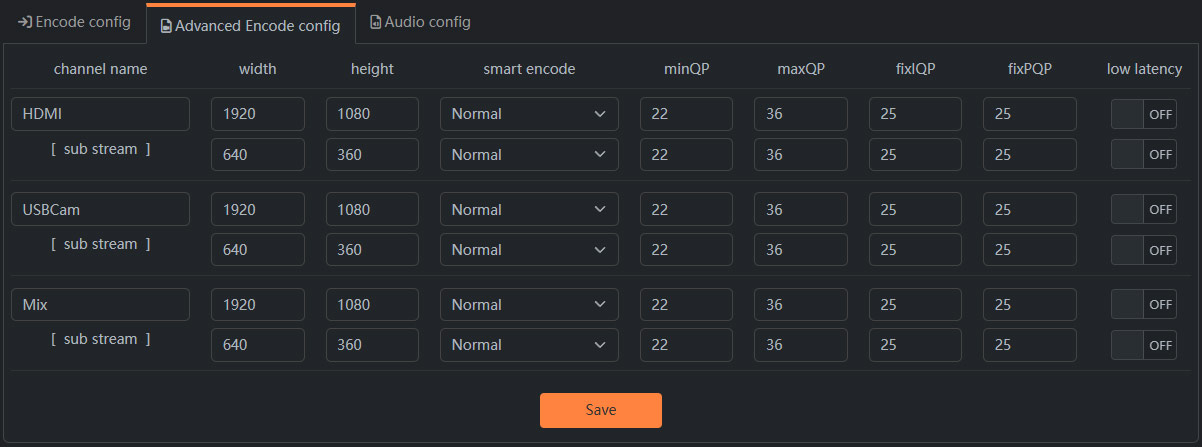
A. width-heigh:Used to set the video encoding resolution not in the list. After setting here, the encoding parameter resolution list will display blank, but it will not affect the normal operation of the video encoder.
B. smart encode:Advanced P-frame mode, which improves the encoded video quality at the same bit rate, but increases the key frame interval. SmartP is more suitable for static scenarios, while DualP is more suitable for highly dynamic scenarios. Note that it will cause ROI failure if enabled.
C. minQP-maxQP:Used to set the quality range of video coding in VBR bit rate control mode.
D. fixIQP-fixPQP:Used to set the I frame and P frame quality in FixQP bitrate control mode.
E. low latency:The function takes effect only after the system restarts. Low delay encoding can reduce the delay of the encoding output, but will lose the scaling ability, so the resolution of the encoder output must be consistent with the resolution of the input source.
2.4. Audio config
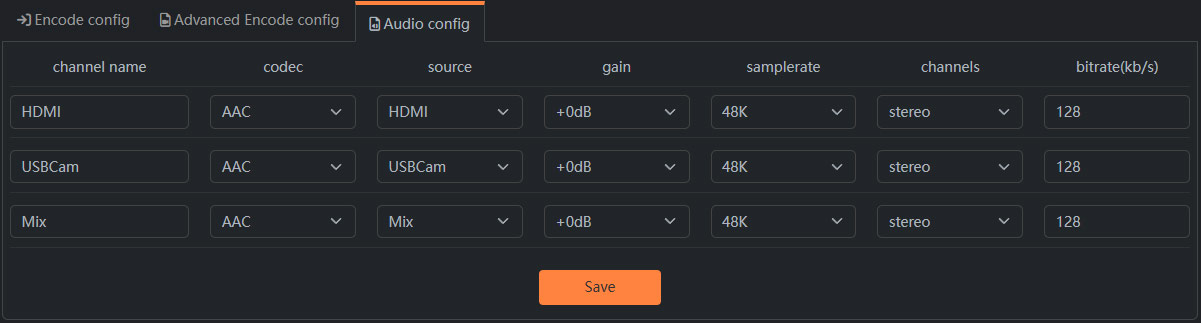
Codec: Optional values are “AAC, PCMA, MP3, MP2, Off”. When “Off” is selected, the output stream only contains video.
Source: Set the audio source used for encoding of this video channel. If you set the network input source as the audio source, the network input source must contain audio and the audio decoding must be enabled.
Gain: Perform digital gain processing on the input audio data. Since it is digital processing, it may affect the sound quality. We recommend adjusting the volume at the audio source end as much as possible.
Samplerate: Optional values are ’16k, 32k, 44.1k, 48k’.
Channels: Optional values are ‘Stereo, Mono’.
Bitrate(kb/s): Audio encoding bitrate, unit kbps. It is recommended to set 128 or higher for 48K stereo.