 +86 136 0249 1788

Push
1. Preview Page
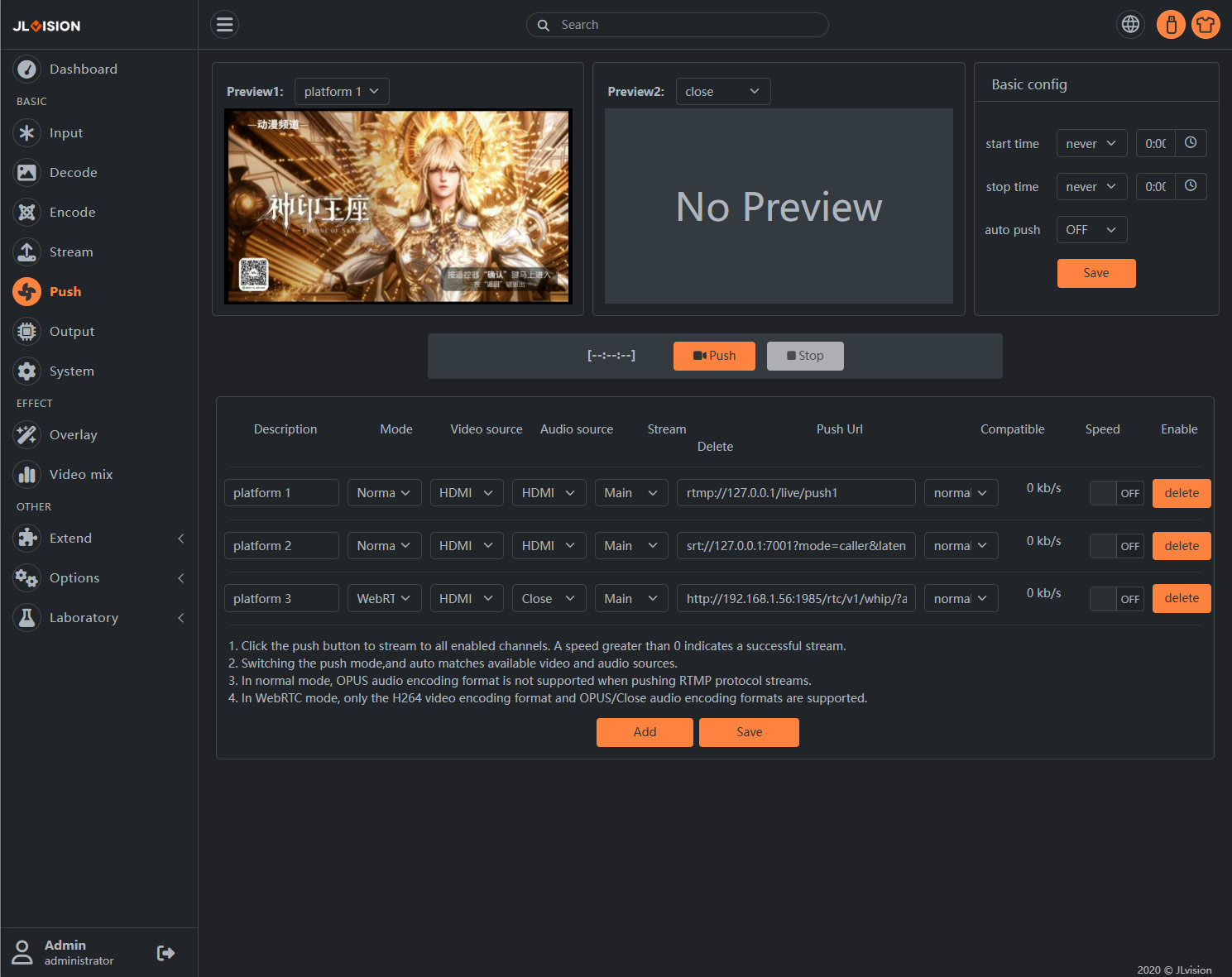
2. Function Introduction
2.1. Basic config
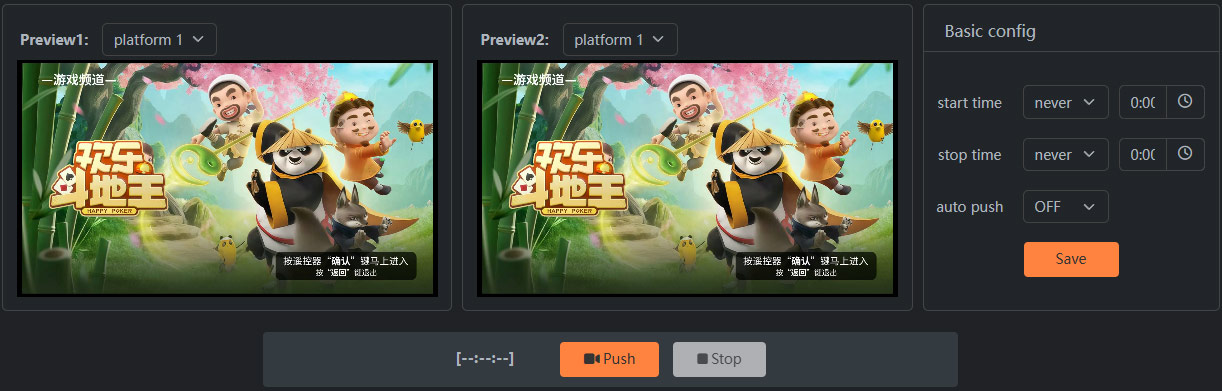
Start time: Automatically starts streaming based on the set time. The system time must be accurate for this to work. The setting time must be later than the current system time for it to take effect.
Stop time: Automatically stops streaming based on the set time. The system time must be accurate for this to work. The setting time must be later than the current system time for it to take effect.
auto push: Once enabled, the streaming will automatically start every time the device is powered on.
2.2. Action bar

The left side shows the broadcast start time. Note: Only streams will be pushed to the enabled platforms.
Push: Start streaming
Stop: Stop streaming
2.3. Push stream settings
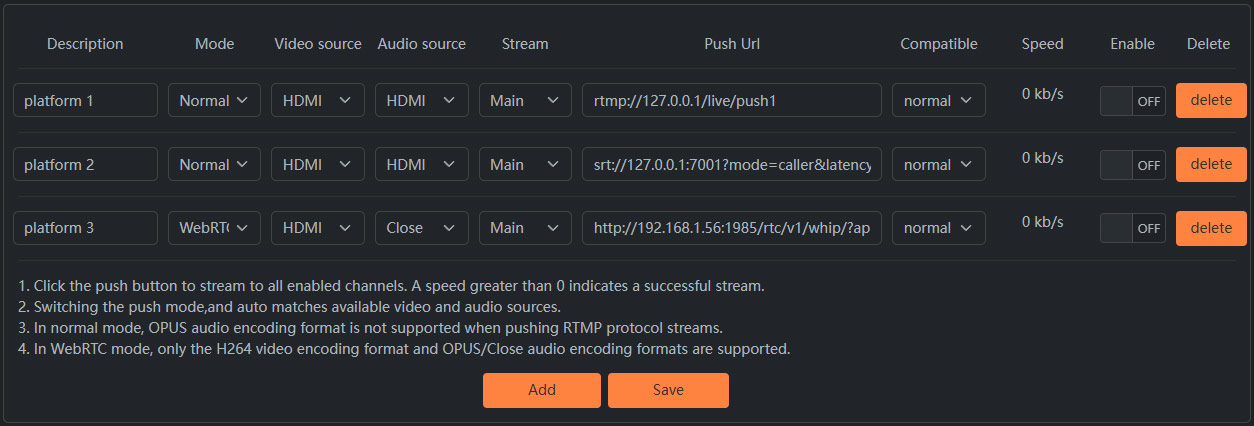
Description: Enter any text to describe this streaming channel. It is recommended to fill in the platform name.
Mode:The standard mode supports various open-source live streaming protocols, such as rtsp/rtmp/srt…etc.
Video source:Select the video channel for live streaming through the push stream.
Audio source:Select the audio source for the live audio stream of the push broadcast.
Push Url: Fill in the server address provided by the platform.
Compatible: When streaming to YouTube, please select the enhanced-rtmp mode. For other scenarios, select the standard mode.
Speed: The current upload rate of the streaming channel. A speed greater than 0 indicates successful streaming.
Enable: Only when this streaming platform is enabled, clicking the streaming button will stream to this platform.
Delete: Delete the current streaming channel.