 +86 136 0249 1788

ROI
1. Page Preview
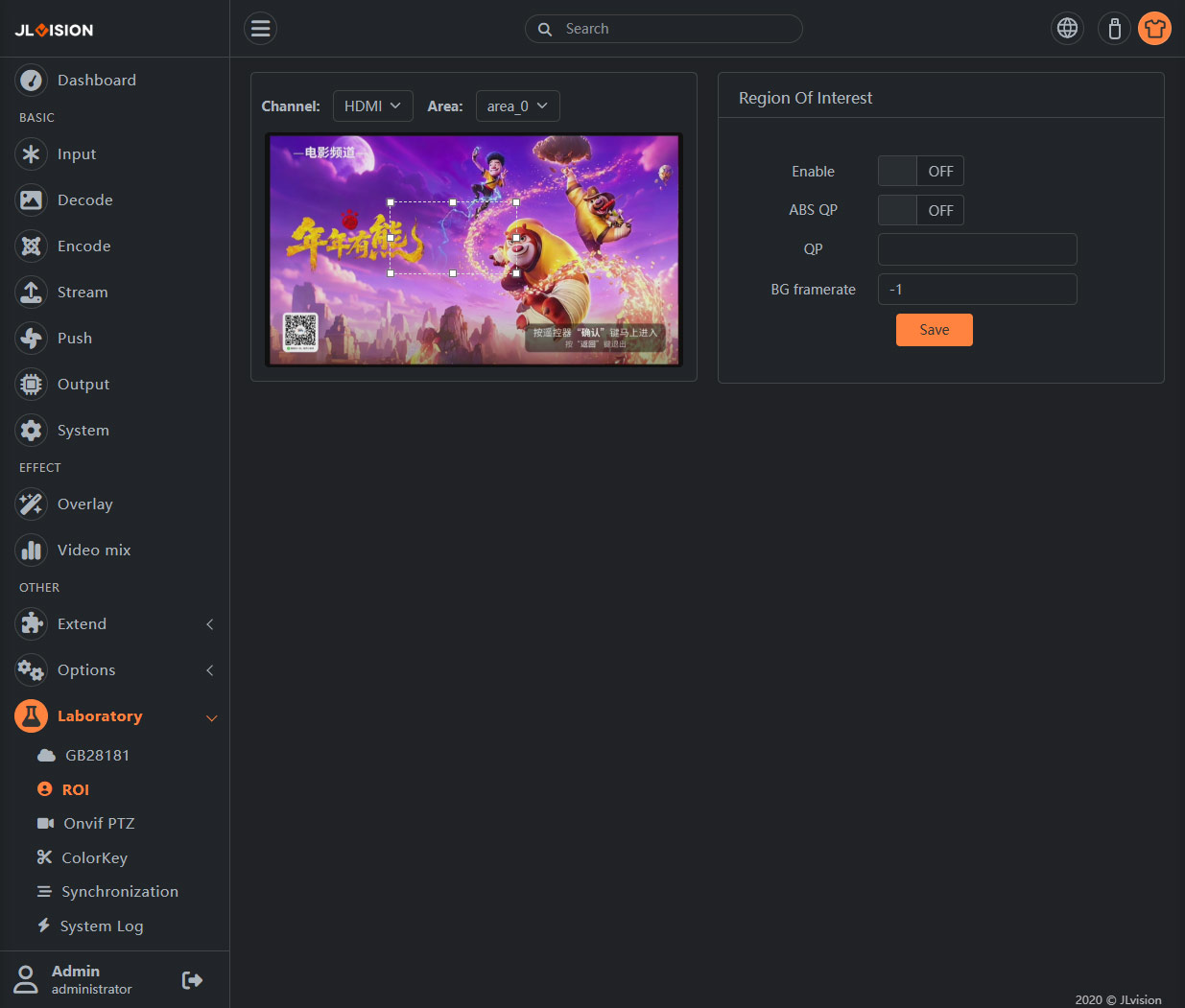
2. Function Introduction
This function can be used to enhance the encoding quality of key areas at lower bit rates, thereby improving the subjective visual experience.
On the interface, only one area of interest can be designated. Developers can try to set up up to 8 areas of interest.
Just like the “Overlay Effects” page, it is necessary to select the corresponding channel at the top of the preview screen before setting the parameters.
2.1. Region adjustment
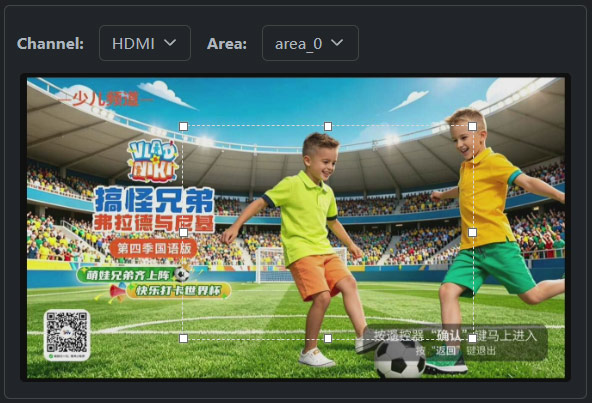
By adjusting the position and size of the dashed box, you can set the area of interest for encoding.
Note: The preview screen is only used as an aid to delineate the selection area. Changes in encoding quality and frame rate will not be reflected in the preview image.
2.2. Region Of Interest
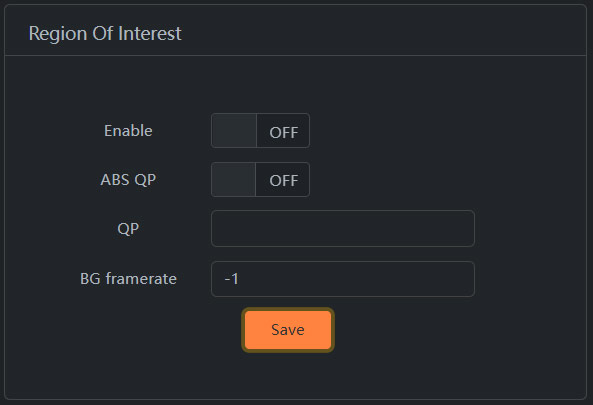
Enable: Enables or disables the ROI function
ABS QP: Enable or disable absolute QP. For details, see the following QP parameter description
QP: When absolute QP is turned on, the encoding QP of the selected area is constant QP; When absolute QP is turned off, the encoding QP of the selected area is the current QP+ set QP, so setting a negative number can improve the encoding quality of the selection, and vice versa.
BG framerate: -1 indicates that part of the frame rate outside the selection does not change. If the value is greater than 0, the background frame rate is set.